Smarthome
Updated
This is my smarthome slash page and is where I will document my complete setup along with the devices I use and recommend to others.
Platform
I've been a Home Assistant user for over three years, and I've been through many iterations of how I want our smart home to work. I'm very pleased with Home Assistant as a platform. Yes, it's technical, so non-technical users can sometimes bounce off it when making first contact, but it provides a lot of power and control. This lets me connect many other ecosystems so I'm not restricted to only things that work with HomeKit, for example.
Server Hardware
I purchased a used Intel NUC from eBay, and I've had zero problems with it. Home Assistant OS is running directly on bare metal.
- Computer:
- CPU: Intel Core i5-10210U @ 1.60 GHz (4 cores / 8 threads, Comet Lake)
- RAM: 16 GB
- Storage: 469 GB NVMe SSD
- Z-Wave Coordinator: Home Assistant Connect ZWA-2
- Zigbee Coordinator: Home Assistant Connect ZBT-1 (archived)
Network Infrastructure
UniFi gear is expensive, but it's worked really well.
- UniFi Dream Machine Pro (UDM-Pro) — router, firewall, UniFi controller, and Protect NVR
- UniFi US-16-150W — 16-port managed PoE switch
- UniFi UAP-FlexHD — Wi-Fi 5 access point (4x4 MU-MIMO)
- UniFi Nano HD — Wi-Fi 5 access point (4x4 MU-MIMO)
Devices and Preferred Vendors
After trying out many types of devices of varying build quality, I've standardized my device classes on specific vendors. Home Assistant controls so much in our home now that it's not just me tinkering around with a smart bulb and a motion sensor any longer. If Home Assistant is down, it has a major impact on our day-to-day routine, so reliability is a priority.
When selecting devices, I have a strong preference for devices that are officially certified as Works with Home Assistant. I also prefer devices that are classified as Local Push. This is not always possible, but I try my best.
- Light switches: I use Zooz light switches when I need a smart switch. All the Zooz switches are Z-Wave routers, so by standardizing in this way, I ensure our Z-Wave network is strong throughout the house. Recommended: Yes
- Smart plugs: Zooz. These Z-Wave smart plugs also help my Z-Wave network strength. I do have a couple Wi-Fi plugs that I use for devices that do not stay plugged in, like the pump for my aquarium water changes. Recommended: Yes
- Smart locks: Ultraloq U-BOLT-PRO-ZWAVE. We installed these over three years ago when we first moved into the new house. They've worked OK, but Home Assistant compatibility isn't the best, and when it's humid outside, the fingerprint sensors beep. Not many smart locks appear on the certified Works with Home Assistant list. Recommended: Eh.
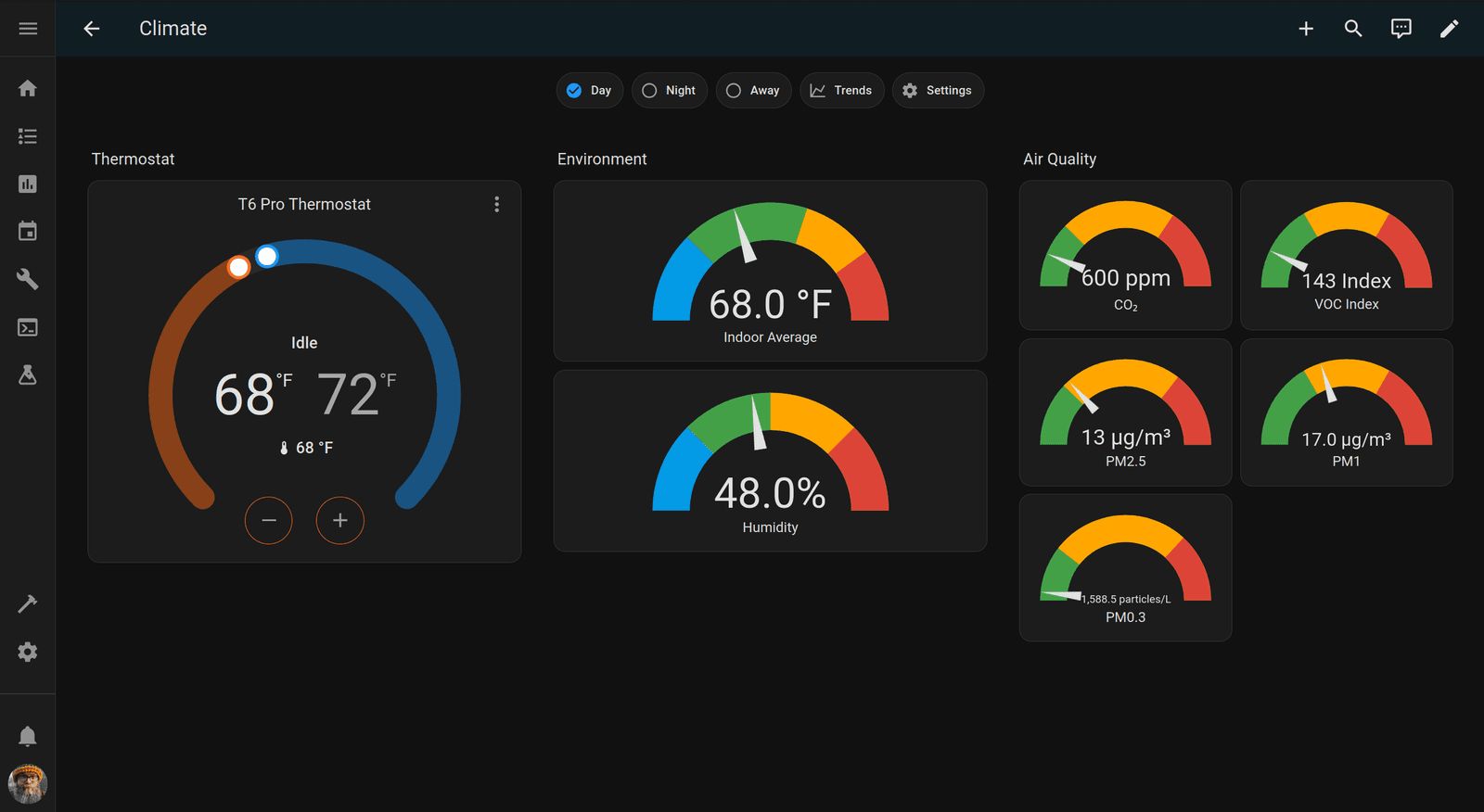
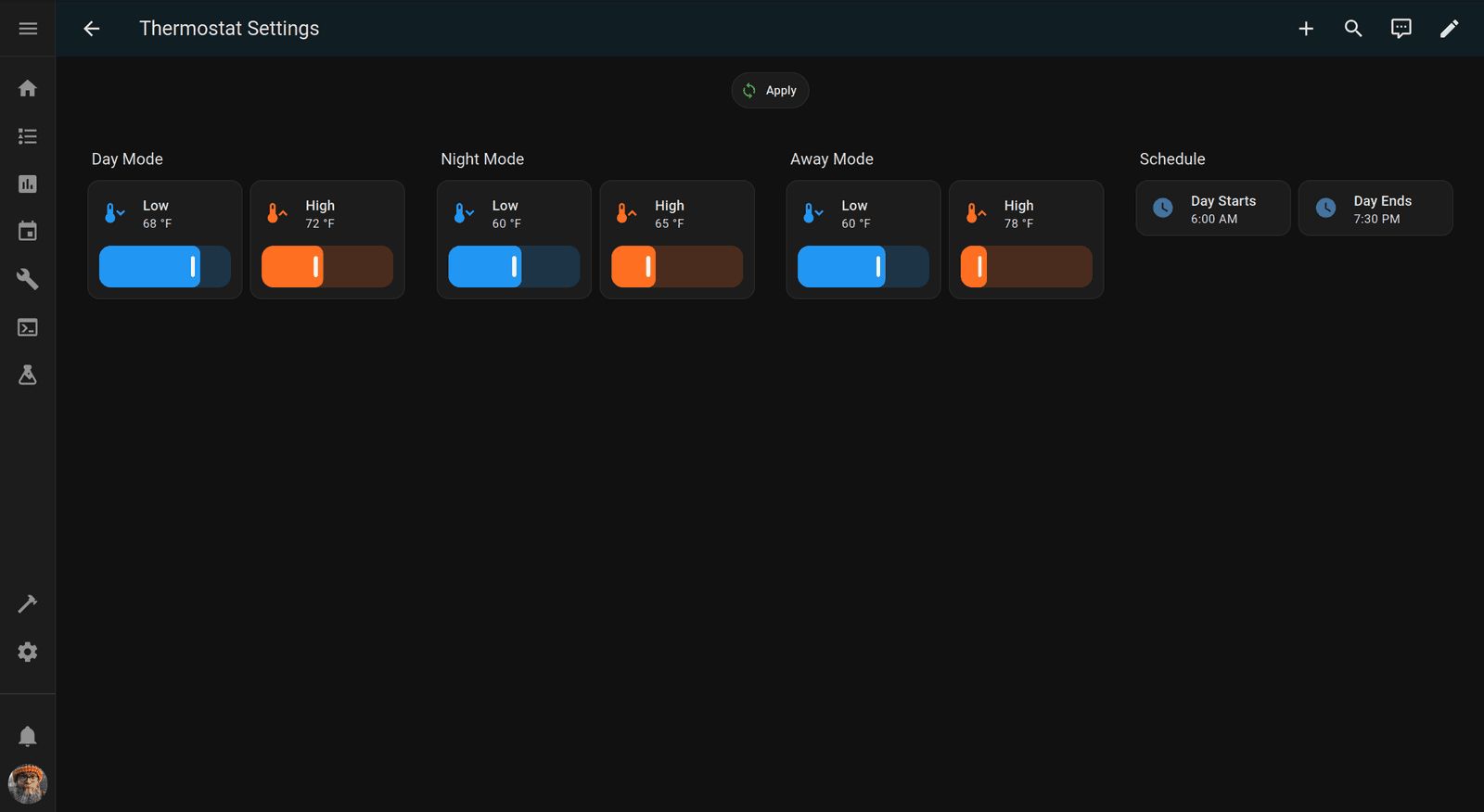
- Thermostat: Honeywell T6 Pro Z-Wave Programmable Thermostat (TH6320ZW). This is probably overkill for what we need, honestly, as we don't need any of the on-device schedules or modes. We control our modes and schedules via Home Assistant instead. Still, this has worked well, and I've had no issues. Recommended: Yes
- Smart bulbs: innr Smart Light Bulbs. These Zigbee bulbs go into all our lamps and form the backbone of our Zigbee router network. Recommended: Yes
- Smart curtains: Aqara Curtain Driver E1. These Zigbee devices have worked well for us. We're a curtain family anyway! Recommended: Yes
- Motion sensors: I do not have a standard motion sensor at this time, but here are the ones I use that have worked well.
- Robot vacuums: iRobot i7. I don't think you can buy this model any longer, and I wouldn't recommend it anyway. The Home Assistant integration is basic, and the robot's functionality doesn't strike me as that good. I would love to get some robots that Valetudo supports, but they're expensive.
- Smart speakers: Before switching to Home Assistant, we were a HomeKit family, so we still have HomePod Minis. We use these to shout at the robots to turn lights off/on, close the curtains, set timers, and ask random questions. We also have several Google Nest Minis sprinkled throughout the house with their microphones switched off. We use these only to play TTS announcements from Home Assistant. I have a Home Assistant Voice, but my initial impression is that it's right to be called Preview Edition. I will continue to experiment and support the project because it would be quite nice to replace all the HomePods and Nests with these.
Cats
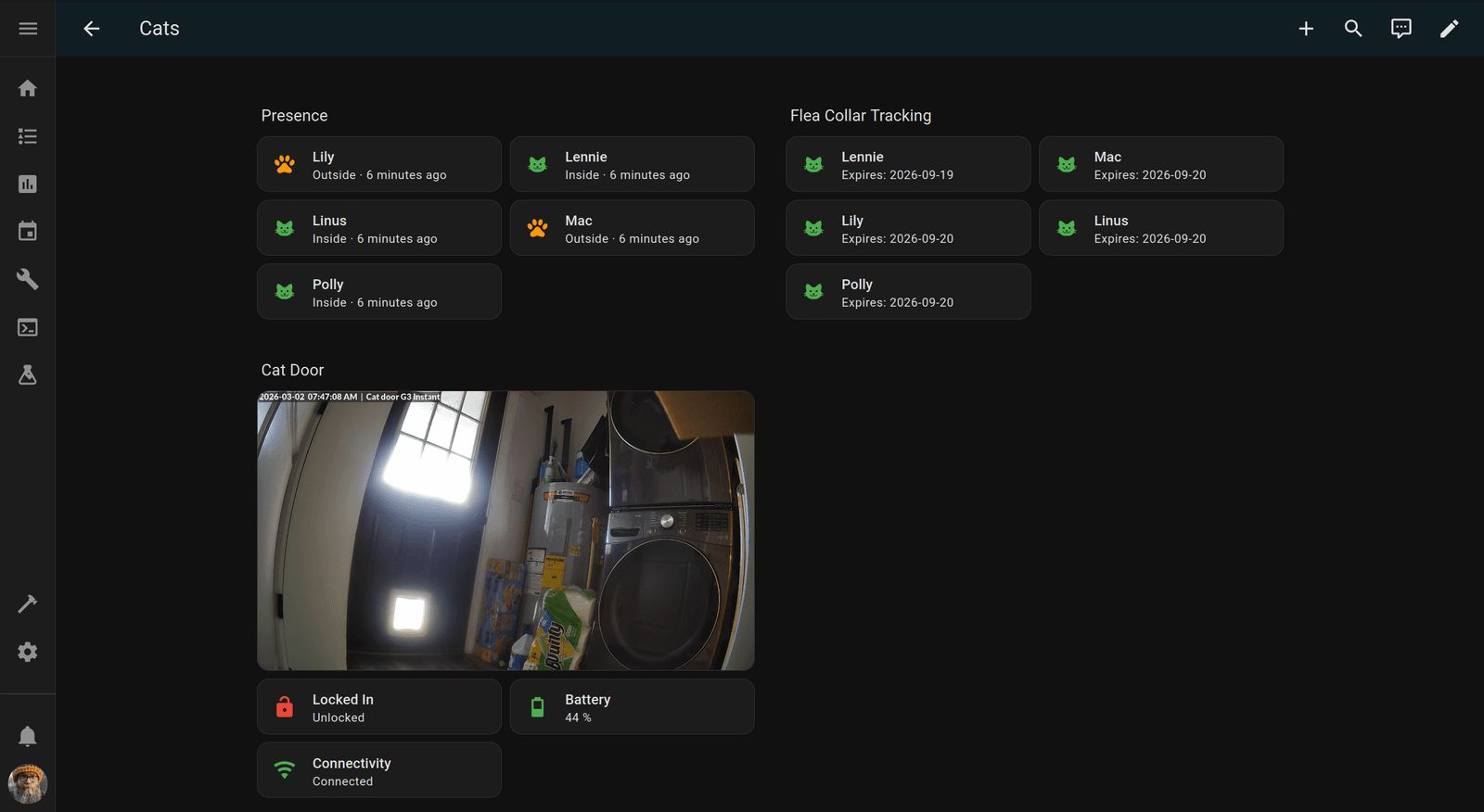
We have several connected devices that pertain to The Goblins.
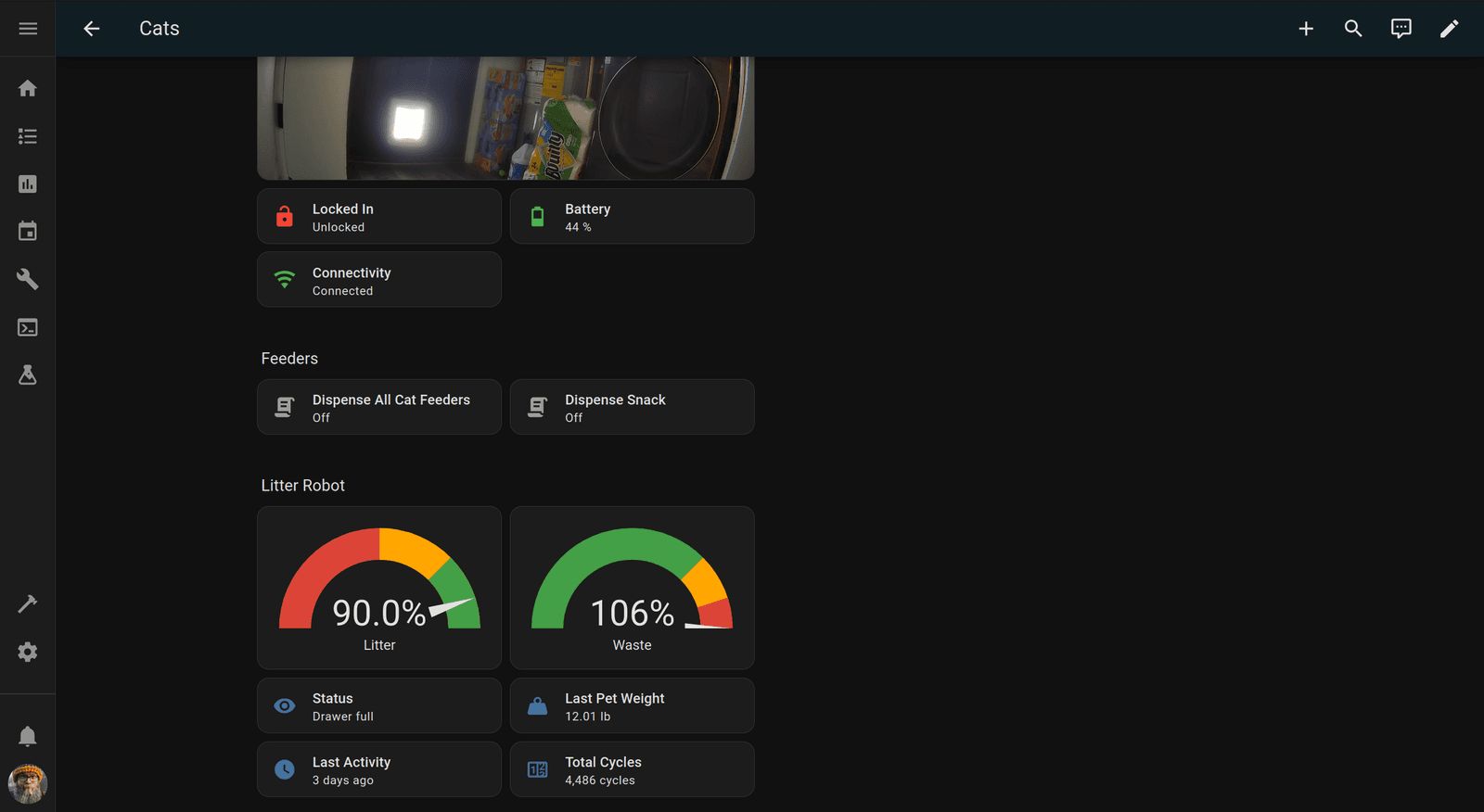
- Aqara Smart Pet Feeder C1 - I wish it had a sensor to report if the hopper was empty, but at least it allows us to set the feeding schedule with Home Assistant, and we can dispense lil snacks as necessary.
- Litter-Robot 4 - We purchased ours used from Facebook Marketplace. We really need to get another.
- Microchip Pet Door Connect - There aren't a lot of options when it comes to connected pet doors, but this one is fine. It allows us to see which cats are inside and which are outside at a glance, and we can set the lock/unlock schedule with Home Assistant.
- Drinking fountain - We're currently just using a cheap flower fountain thing, but I'm not the best at keeping up with it. I purchased the AquaPurr, but I need to move it from the main suite bathroom to the guest bathroom upstairs and work with the cats to show them how to use it.
Aquariums
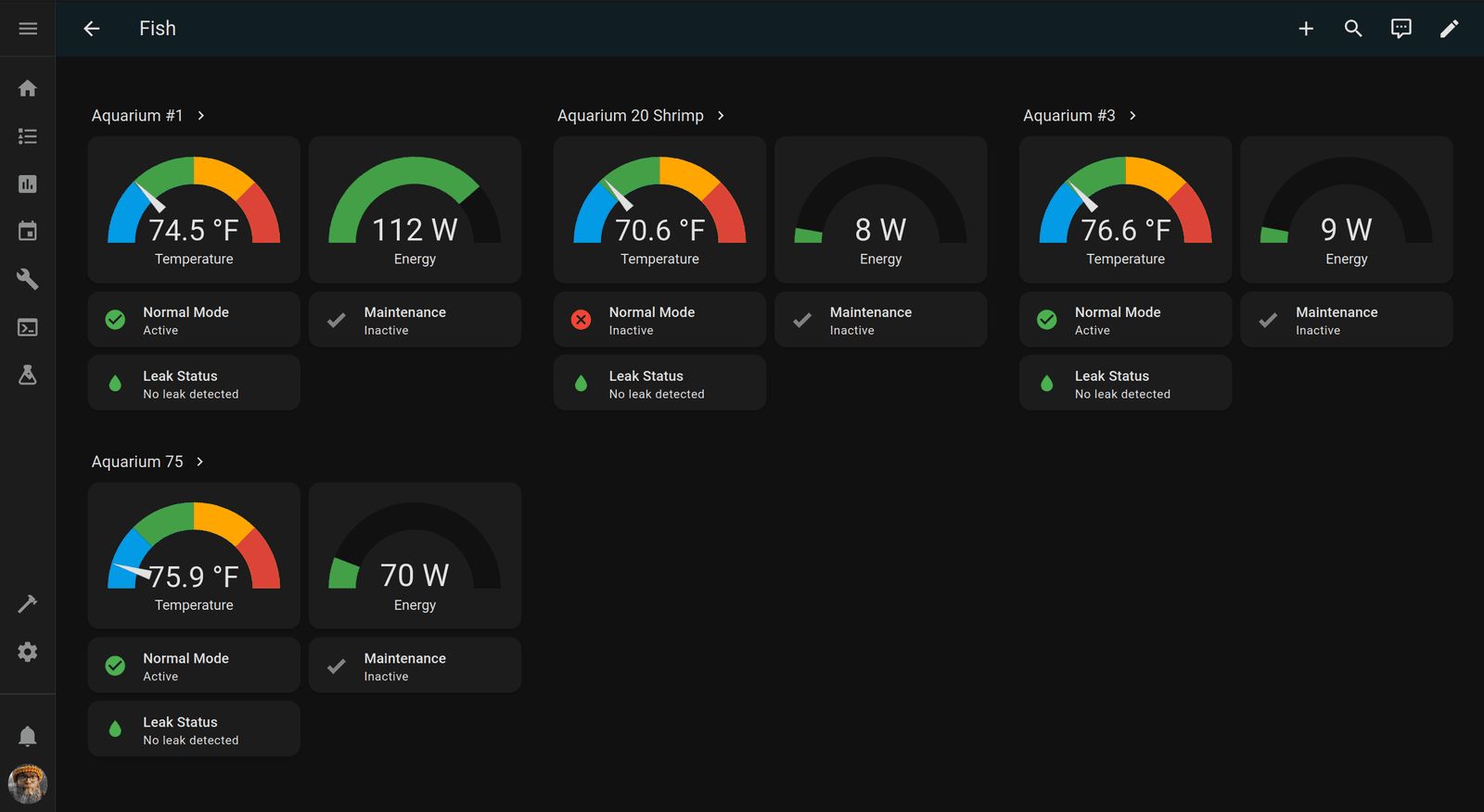
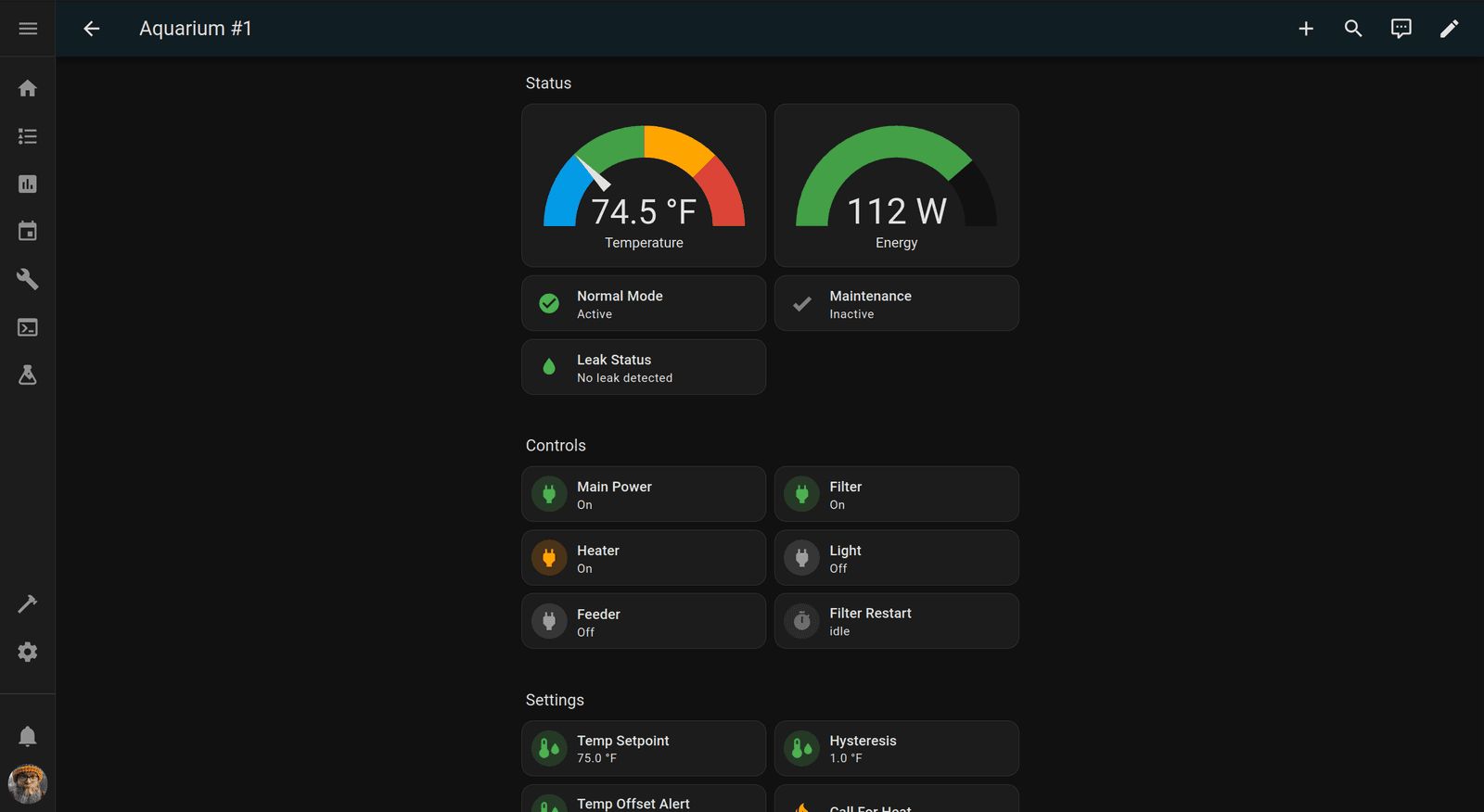
We have four aquariums, and I have the same basic setup for all of them.
- Zooz ZEN20 Power Strip - This controls the aquarium devices like lights, heaters, and pumps.
- Apollo TEMP-1 Temperature Sensor - This reports water temp back to Home Assistant so it can turn the heating elements on and off.
- Zooz WATER LEAK XS SENSOR - I use canister filters in all aquariums, and they sit in a plant watering tray with one of these sensors in the bottom. If a leak is detected, the robots will start shouting about it.
Dashboards
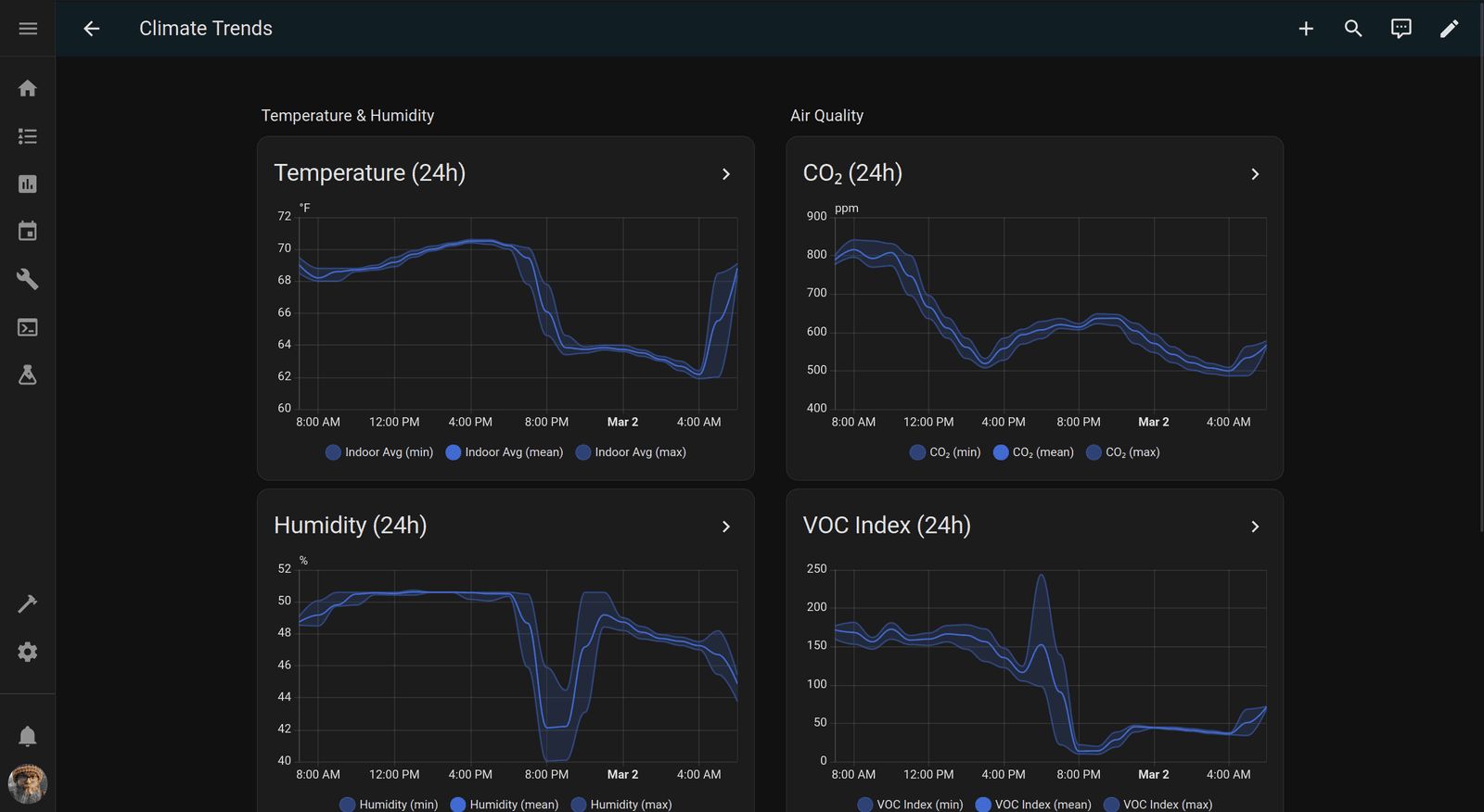
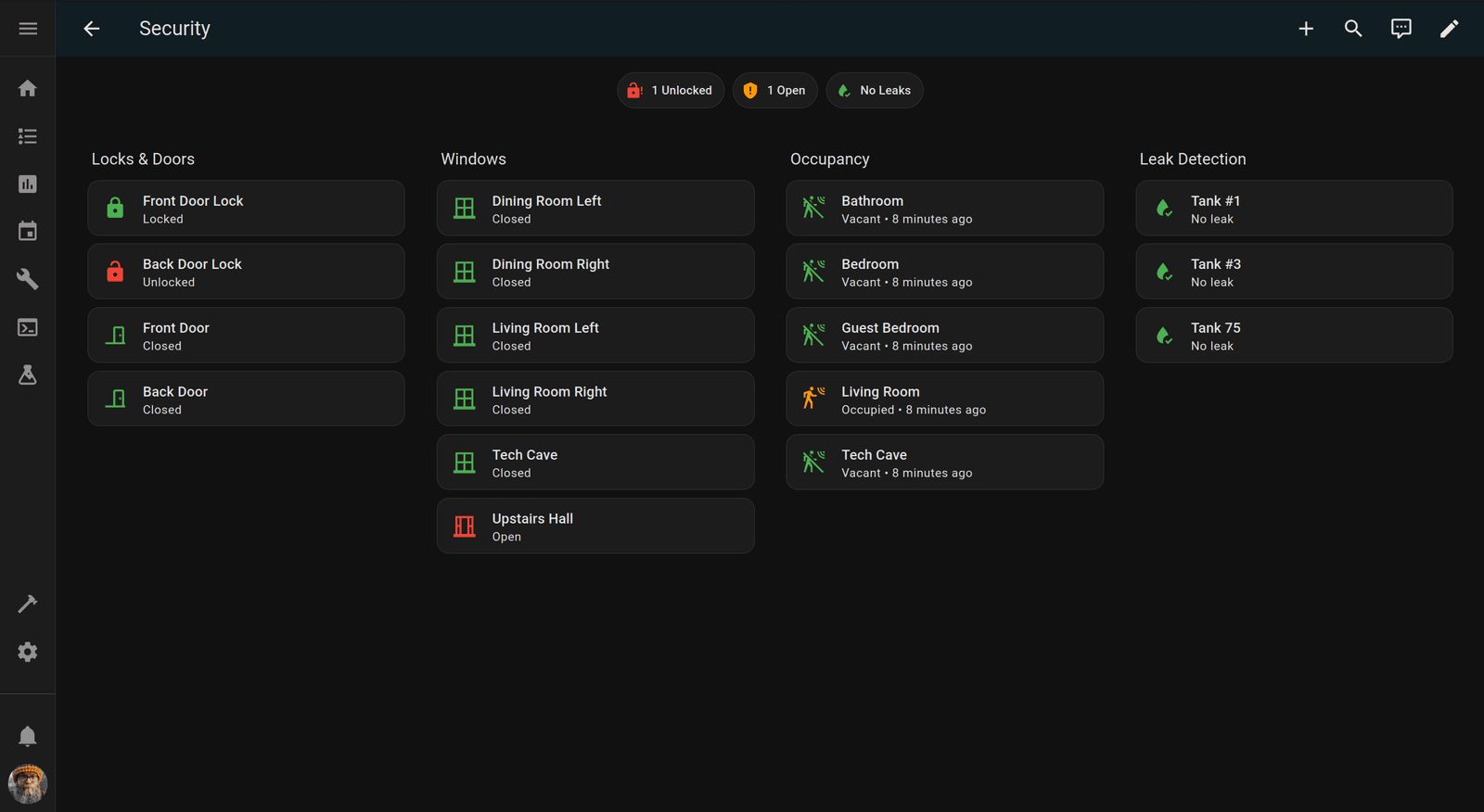
Here are our main dashboards. I feel dashboards are so specific to everyone's own use cases, but I hope this inspires something for yours.
Click on the links below to jump to the relevant dashboard overview.
Home
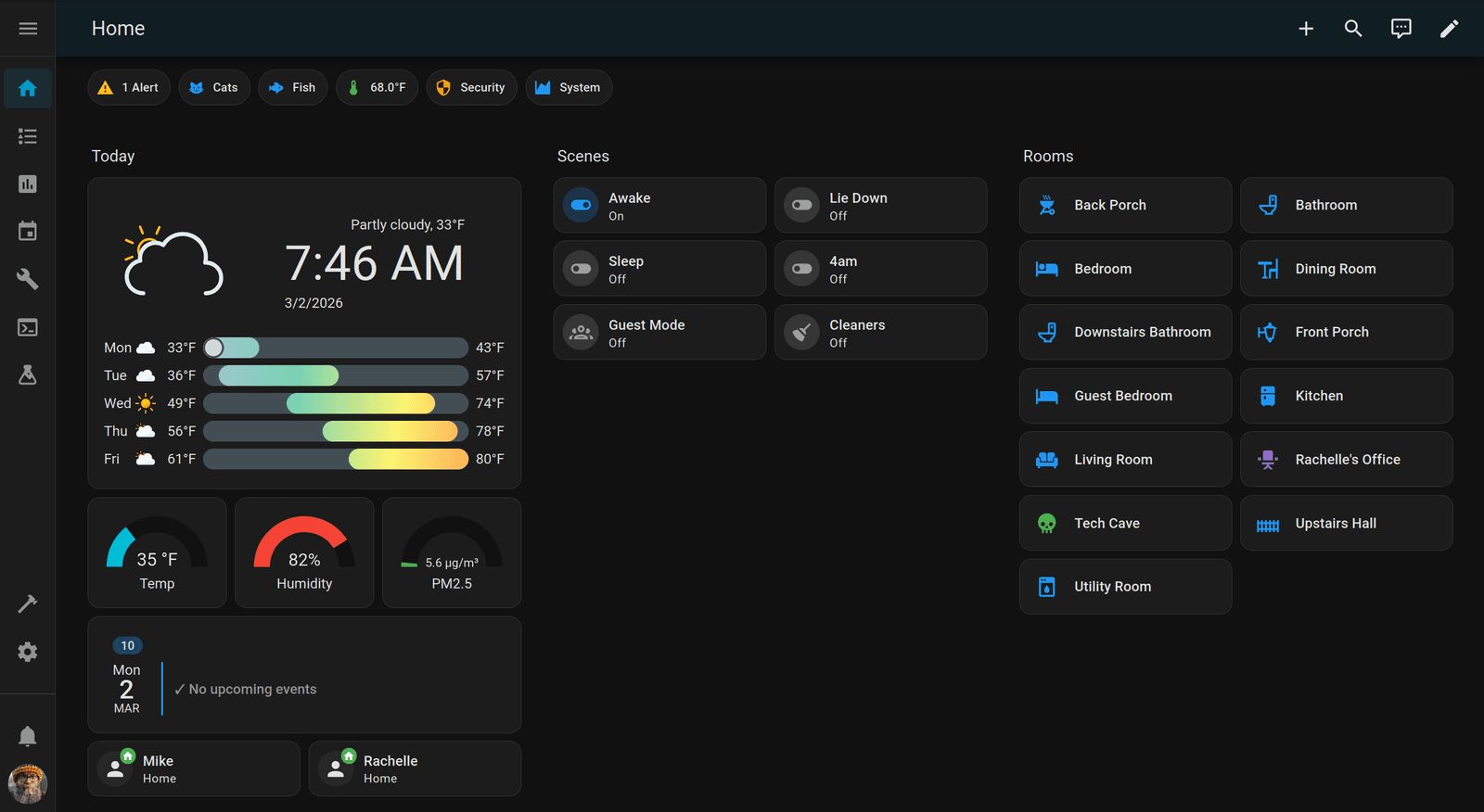
This is the default view and contains all the things we care about at a glance. It also allows us to navigate to the other areas of the system.
Alerts
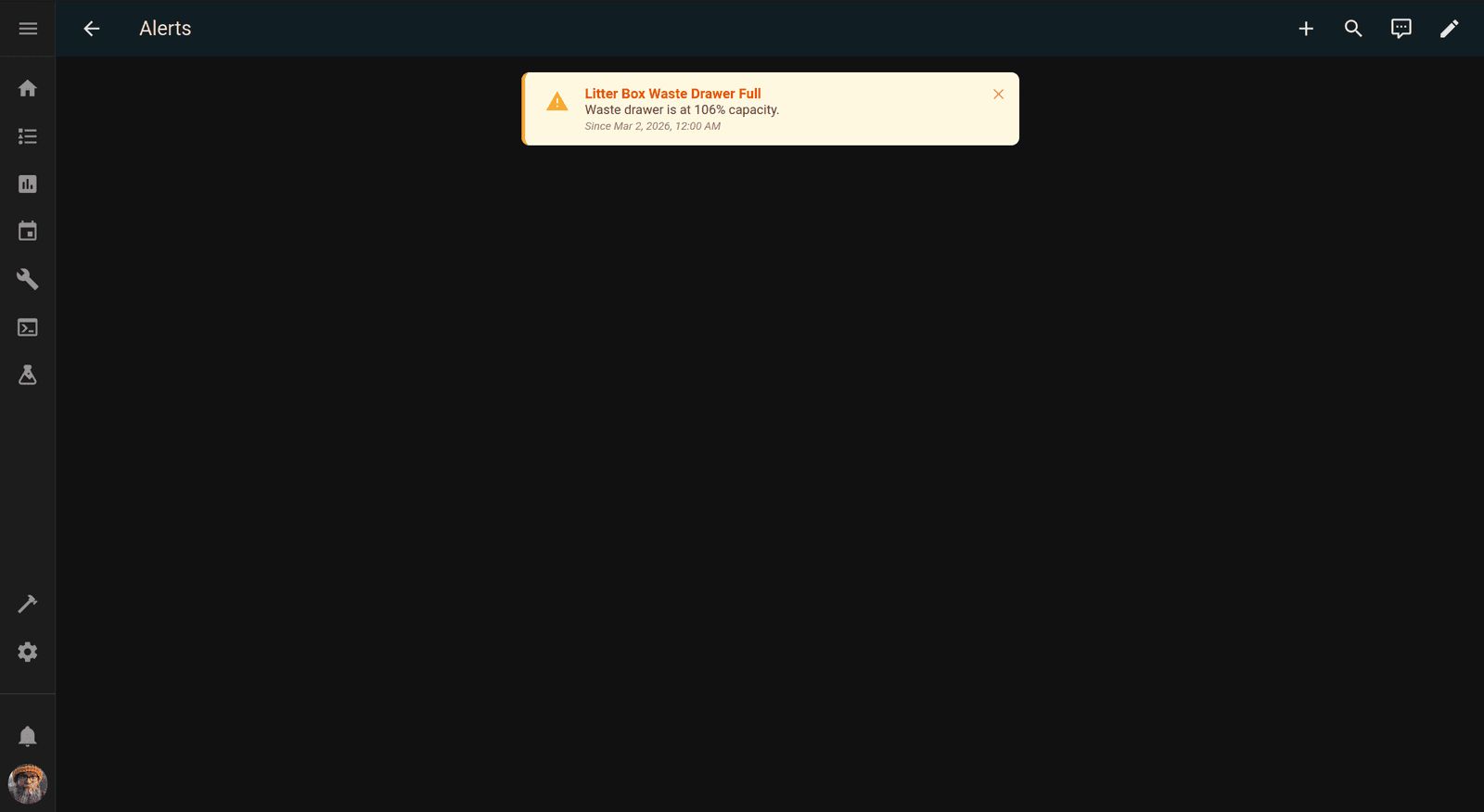
This is a dedicated alerts dashboard. I like to receive alerts via different channels, not just on my phone. I send alerts to our phones, of course, but we also send TTS alerts and add alerts to the Alerts dashboard.
Cats
Fish
Environmental
Security
Tablet
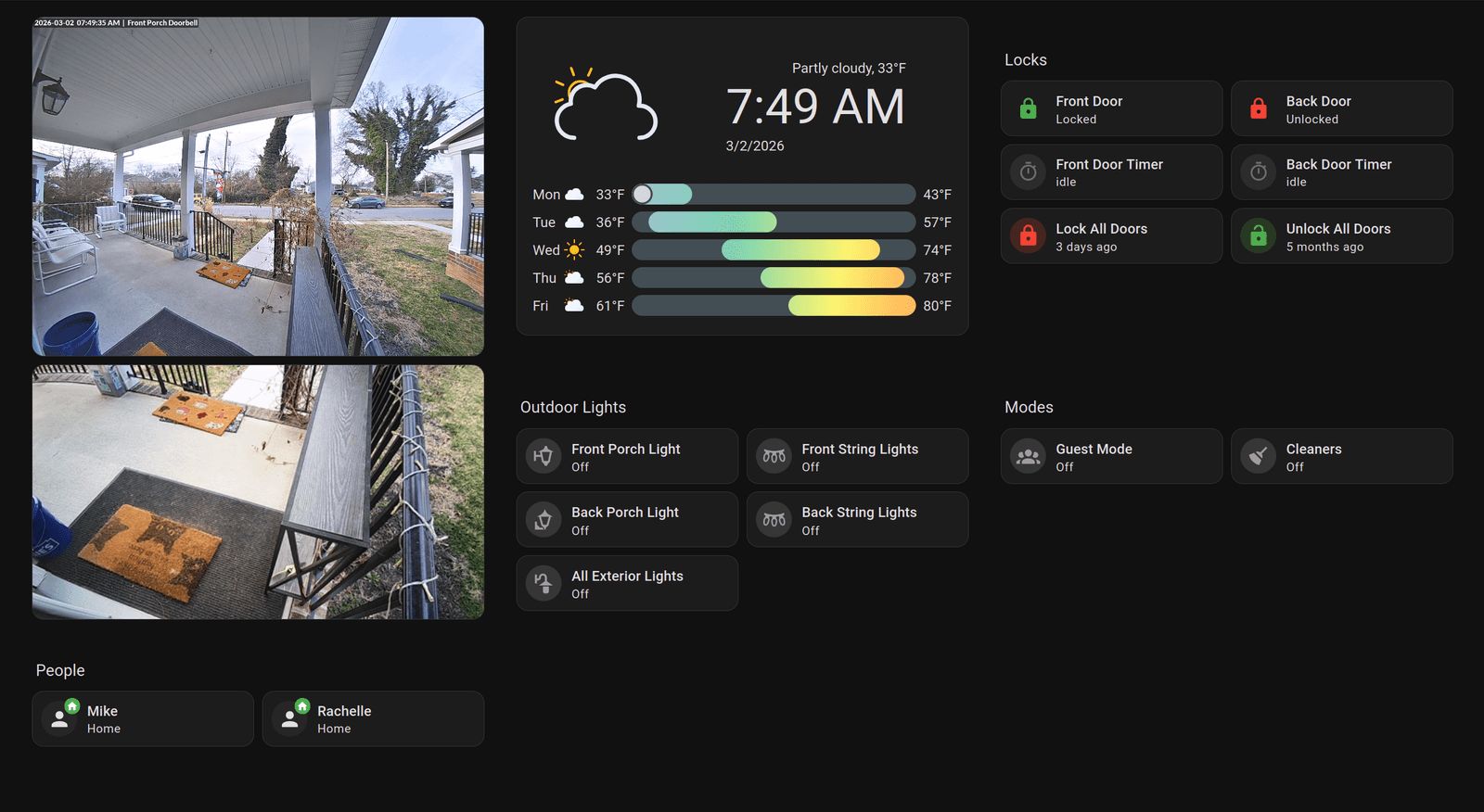
I just purchased a used Samsung tablet from Facebook Marketplace with the intent of using it as a mounted dashboard at the front door.
Bedroom
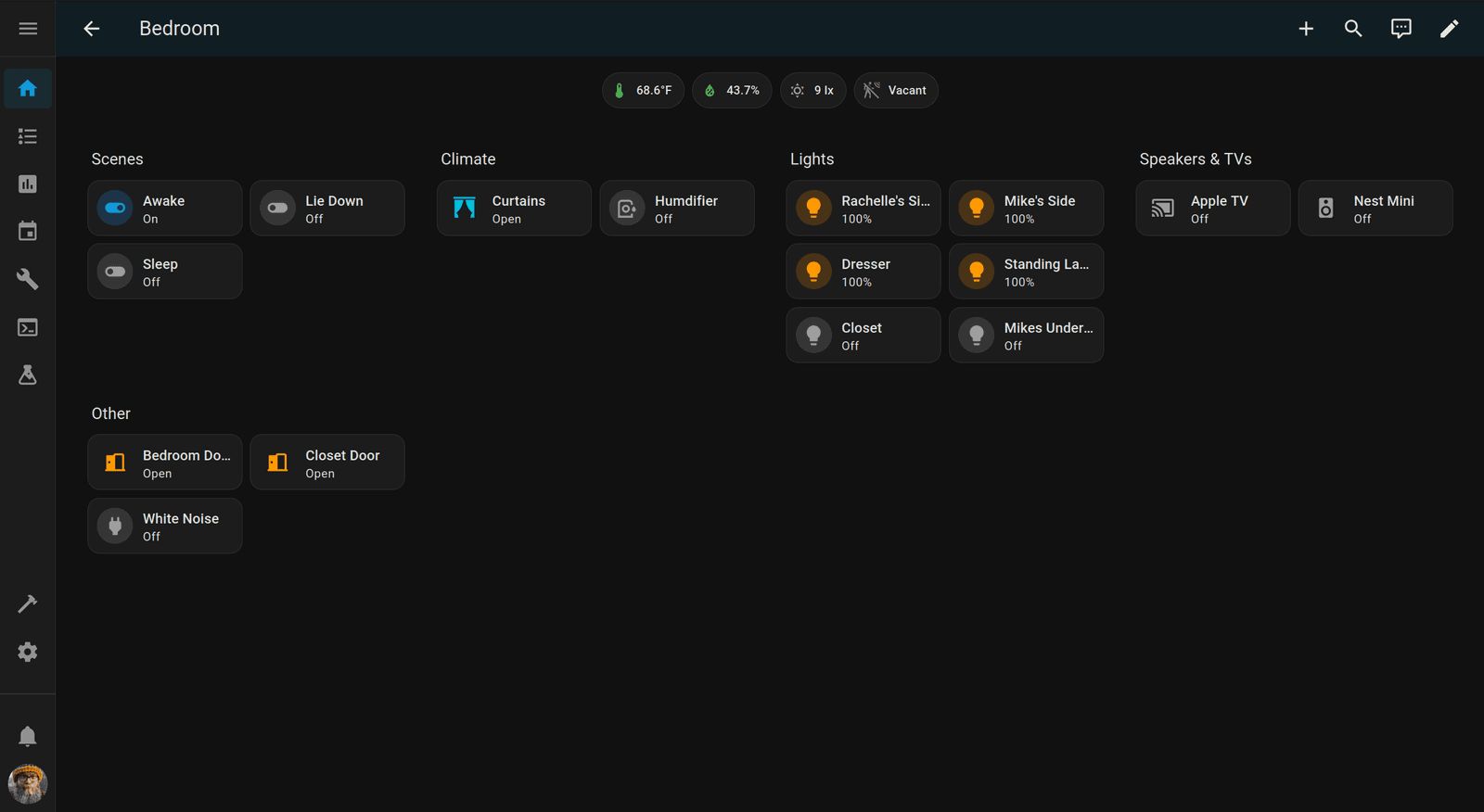
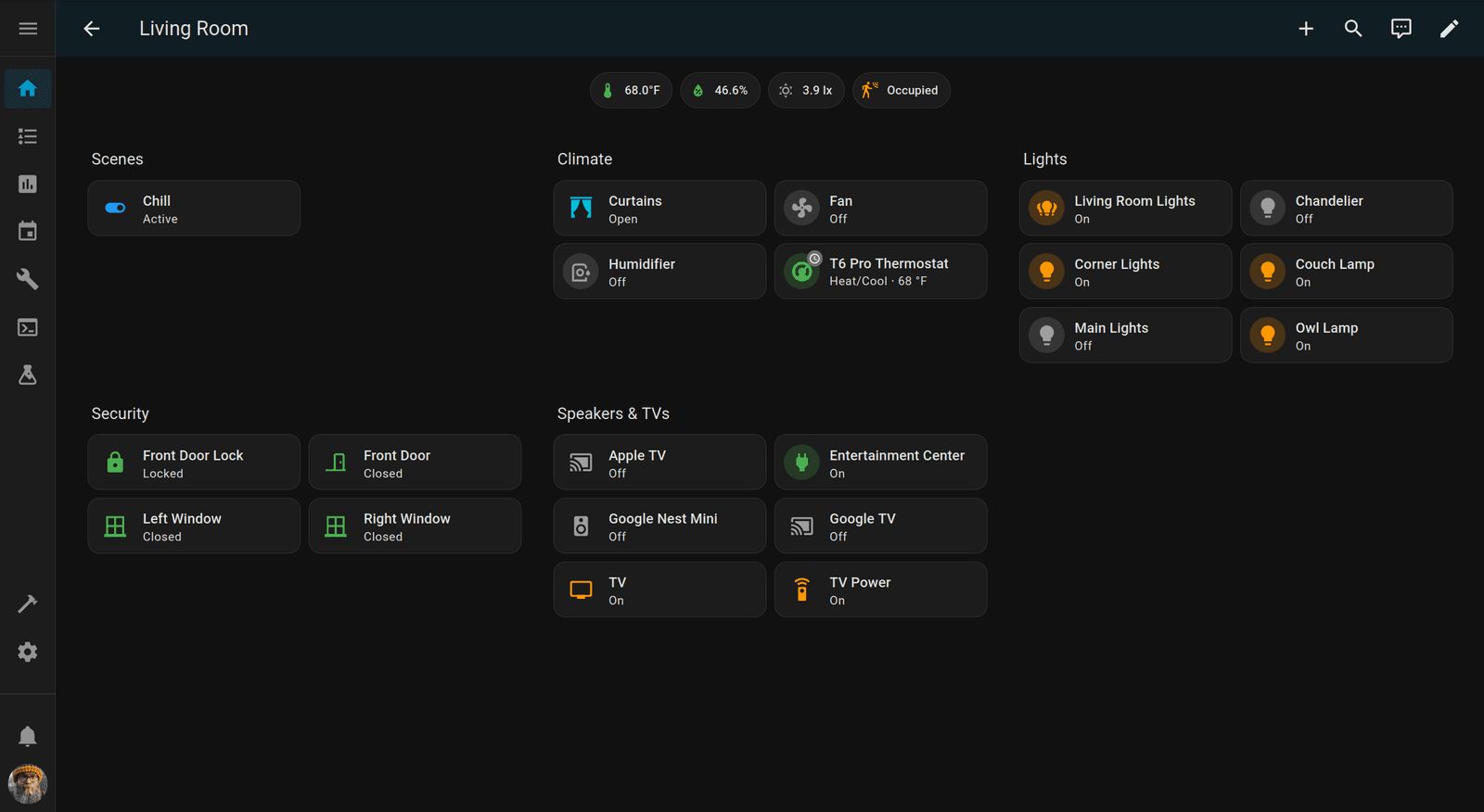
I won't document all 13 room dashboards, as that would get a bit repetitive since I use the same pattern for each room. I'll show you the two rooms with the most objects, the bedroom and the living room, so you can see the pattern for yourself.
Living Room
Automations
I have many automations, and most are bog standard. Turning lights on and off based on motion/presence. Turning lights on/off upon wake/sleep. Opening/closing curtains automatically based on sunset. These two classes of automation bring a lot of peace of mind for me, though:
Locks
I have several automations related to the doors locking themselves. Here is an overview:
- Our doors lock themselves after 10 minutes of being unlocked. I use timer helpers so they survive a reboot. If Cleaner Mode, Guest Mode, or Backyard Mode is active, the autolock doesn't fire.
- When someone is detected as away, the door locks lock themselves.
- If we're away and returning home, the doors automatically unlock when we arrive so we can walk straight in without having to unlock anything. We also turn on lights upon arriving home if it's dark out.
Person Alerts
We have a fair amount of foot traffic in our neighborhood, and we've had issues with people trespassing on the property or cutting through the yard. We have full coverage of our property including the front yard, front doorbell, back porch, and both side yards. If a UniFi camera generates a person-detected event, we get a notification on our phones and a TTS notification like "A person has been detected at the front of the property." The phone notifications include a screenshot from the camera.
These alerts fire regardless of the time, as we want them even if we're asleep. I want to be woken up if someone is in the back of the property. If a downstairs window is open, the TTS alert doesn't fire, but we play a sound alert on the speakers instead. It sounds weird when the front window is open and an Amazon driver dropping off a package hears our TTS alert blaring outside. We also suppress TTS alerts when Guest, Cleaner, or Away mode is active.
Conclusion
Do you have a smarthome slash page? I'd be interested in checking it out!